 Back
BackComments / Suggestions / Improvements / Bug reports / etc. are welcome/encouraged: Glenn Meader glenn@chromakinetics.com
Forum: view and post comments here
BackI really love your software, mostly for its simplicity and power.
Everything else either doesn't work, or takes a PhD to learn! - Ken EllefsonWith your program life in the light booth got a whole lot easier.
The technical support you gave me during our first production was appreciated so much. - E. ConranOUTSTANDING! I have been searching for a basic, easy to run program and you have definitely come closest to doing just that. - Nick Q
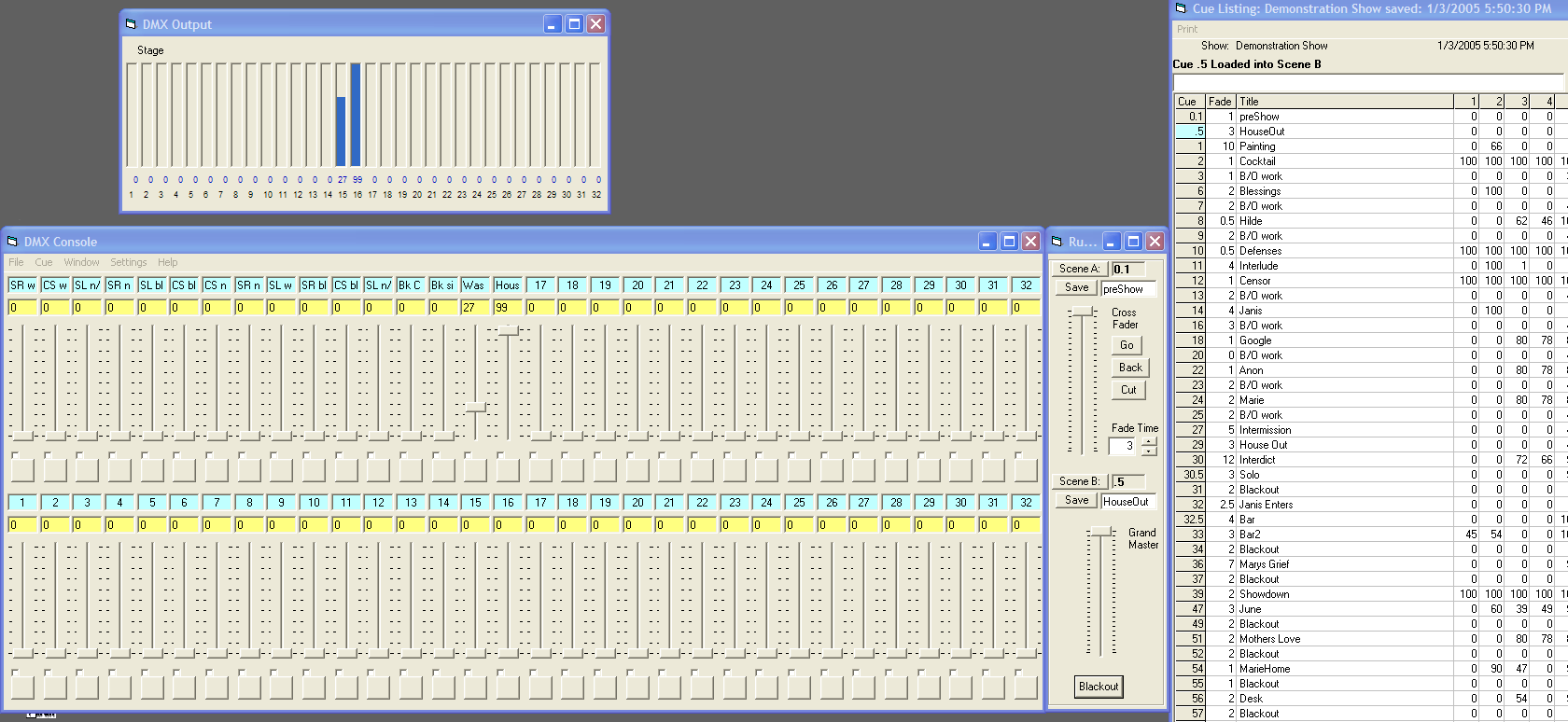
View Screenshot image
Download User manual (Windows .chm help file). If you are using Windows Vista, it may prevent you from viewing the Help file. Once the.zip file is downloaded, right click on the file before unzipping it, and then click on Properties. At the bottom of the StageConsoleHelp Properties window, under the general settings tab, there might be a notice that the program came from another computer and might be blocked for security protection. Click the 'Unblock' button next to the notice and then the StageConsoleHelp file should be accessible.
Here is the TODO list for StageConsole. User suggestions are listed here. Feel free to send in your suggestions
If you have trouble getting StageConsole to work, please test the installation of your Enttec DMX interface using the example software downloadable from the www.enttec.com website. For the Open DMX, download: C++ Builder Example V1.41. For the Pro, download: DMXUSBPro Utility The Enttec Utility must be able to connect to the DMX USB Pro via the COM port driver. Note: the driver for the Enttec USB DMX Pro may configure itself with a COM port number greater than 15. StageConsole (VB) can only connect to COM ports numbered 15 or lower. Using the Windows Device Manager, look under Ports (COM & LPT) for "USB Serial Port (COMx)". The number x must be set to a number below 16. See http://www.enttec.com/support-center/kb/article/000028

StageConsole Beta Test v1.6.12:
May 28 , 2007: New features: Submasters
Issues: